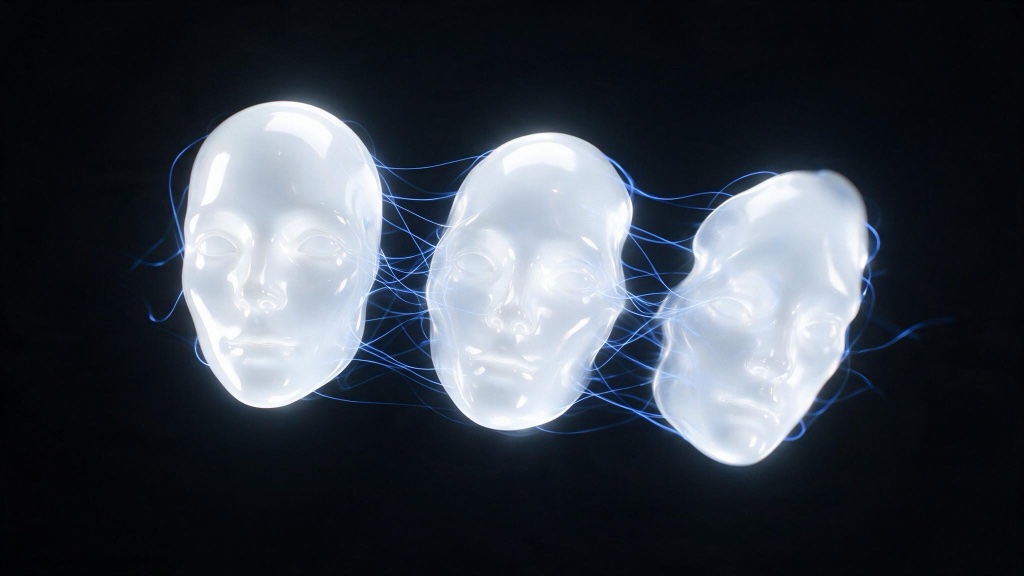
AI characters drift between shots because nothing in the generation carries information forward. Diffusion and video models resample from noise every time, with no memory of the face they drew in the last shot. Consistent AI characters come out of a workflow, not a prompt: build a locked reference set, feed it into every generation as conditioning, reuse the same character prompt block verbatim, and check identity shot by shot before you cut.
The pipeline holds whether the deliverable is a still campaign or a scripted short. It sits underneath the shot-level workflow covered in our guide to what AI filmmaking actually is: a character is an asset you build once and condition against. What follows walks it in order: reference set, conditioning, video carryover, when to fine-tune, and the QA pass that catches drift before an audience does.
- Identity drift is a sampling problem, not a prompt problem: each generation starts from noise with no memory of prior shots.
- A character sheet (front view, profile, three-quarter turn, expressions, wardrobe) is the reference set every later shot conditions against.
- A reused prompt block, image conditioning, and locked seeds carry identity forward. A LoRA is a late-stage investment, not a first step.
- Stills become a video model’s first frame, so a locked still is the cheapest anchor for a generated shot.
- QA identity against the reference sheet, never against the last shot you generated. Compare shot to shot and small drifts compound unnoticed.
Why do AI characters look different in every shot?
Every image or video generation starts the same way: noise, resolved into pixels by a model conditioned on your prompt. Nothing in that process remembers the character you generated a second ago. Change the seed and the face changes with it, even with the prompt untouched. Change the angle, the lighting, or the shot type, and the model has to guess who this person is again, because it never knew in the first place. That is identity drift, a property of how diffusion and most video models work. A character-reference feature, like the one Midjourney documents for its stills pipeline, narrows the guess. It does not remove it. The model still resamples; it resamples closer to a target you gave it.
What belongs in a character sheet?
A character sheet is the reference set every later generation conditions against. Build it before you generate a single production shot, and treat it as canon once it exists: revise the sheet and you have changed the character, not fixed a shot.
- Front view. Neutral expression, neutral light, plain background. This is the anchor image most conditioning tools weight most heavily.
- Profile and three-quarter turns. Faces read differently off-axis. Without these, the model invents a jawline and cheekbone structure the moment a shot leaves straight-on coverage.
- An expression sheet. Neutral, a smile, concern, mid-speech. A face that only exists neutral will drift the first time a script calls for anything else.
- A wardrobe plate. The exact garments, colors, and materials, photographed or rendered flat. Costume is easier to lose than a face, and harder to notice losing.
Build the sheet once. Skip it and you regenerate shots that almost match, across the whole shot list.
How do you carry identity into every generation?
Two things do the carrying: the images and the words. Most image tools now accept a reference image alongside a prompt, whether it is called a character reference, an image prompt, or a conditioning input; Runway’s documentation covers the same idea for its image and video tools. Feed in the reference set, not the last shot you generated: conditioning on your own drifted output compounds the drift instead of correcting it.
Alongside the image, keep a written character block and paste it into every prompt, unchanged: name, age, distinguishing features, wardrobe. The worked example further down runs one such block through a sheet, two shots and a video clip. Reusing that block verbatim keeps the language pointing at the same person, which carries the shot when the reference image only partly lands. Where your tool exposes a seed, lock it for a given setup and vary only what you intend to vary: angle, lighting, background. An unlocked seed adds a second source of drift on top of the one you are already managing.
How do you keep a character consistent from image to video?
Generate the shot as a still first, using the reference set and prompt block above, and treat that still as the first frame you hand to your video model. Image-to-video conditioning, the standard workflow across tools from Runway to ComfyUI node pipelines, anchors the opening frame to a face and outfit you already approved. The video model animates a character you locked rather than guessing at one. The tools are converging on this too: image, video, and audio sharing one conditioning surface, a shift our analysis of the single-backbone trend covers in more depth. Motion within the clip can still drift, particularly across a hard camera move or a long duration, so treat the first-frame still as a floor, not a guarantee. Shorter clips, cut on action, hold identity better than long unbroken takes.
The workflow, start to finish
Here is the whole pipeline run once, with every prompt printed in full. The prompts matter more than the pictures: copy them, swap in your own character block, and the discipline transfers to your shot list. Nothing below was retouched between steps.
That block opens every prompt that follows, unchanged. It is the written half of the conditioning; the sheet below is the other half.
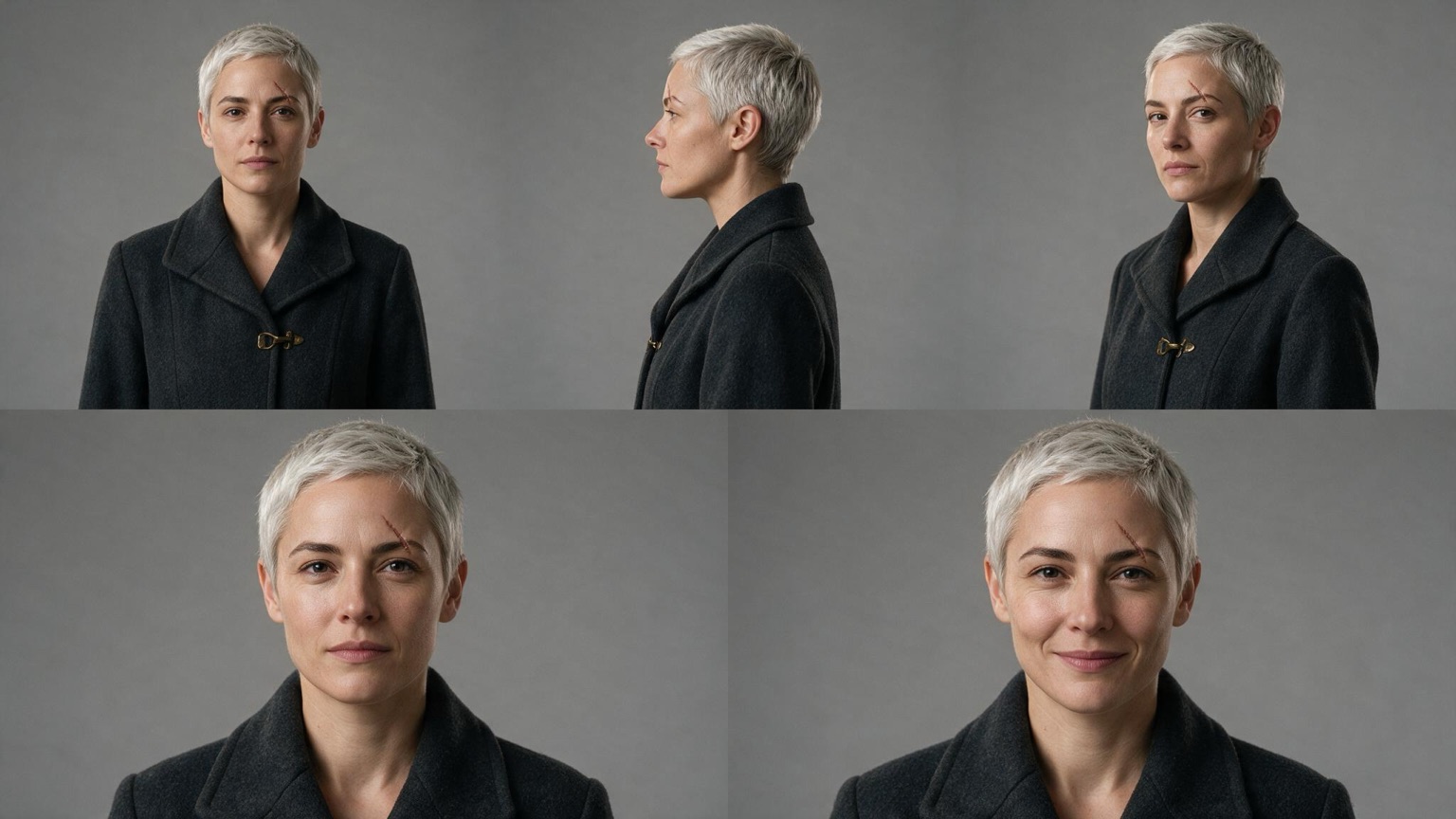
Both calls attach the sheet image as the reference and repeat the character block verbatim. Only the situation changes.
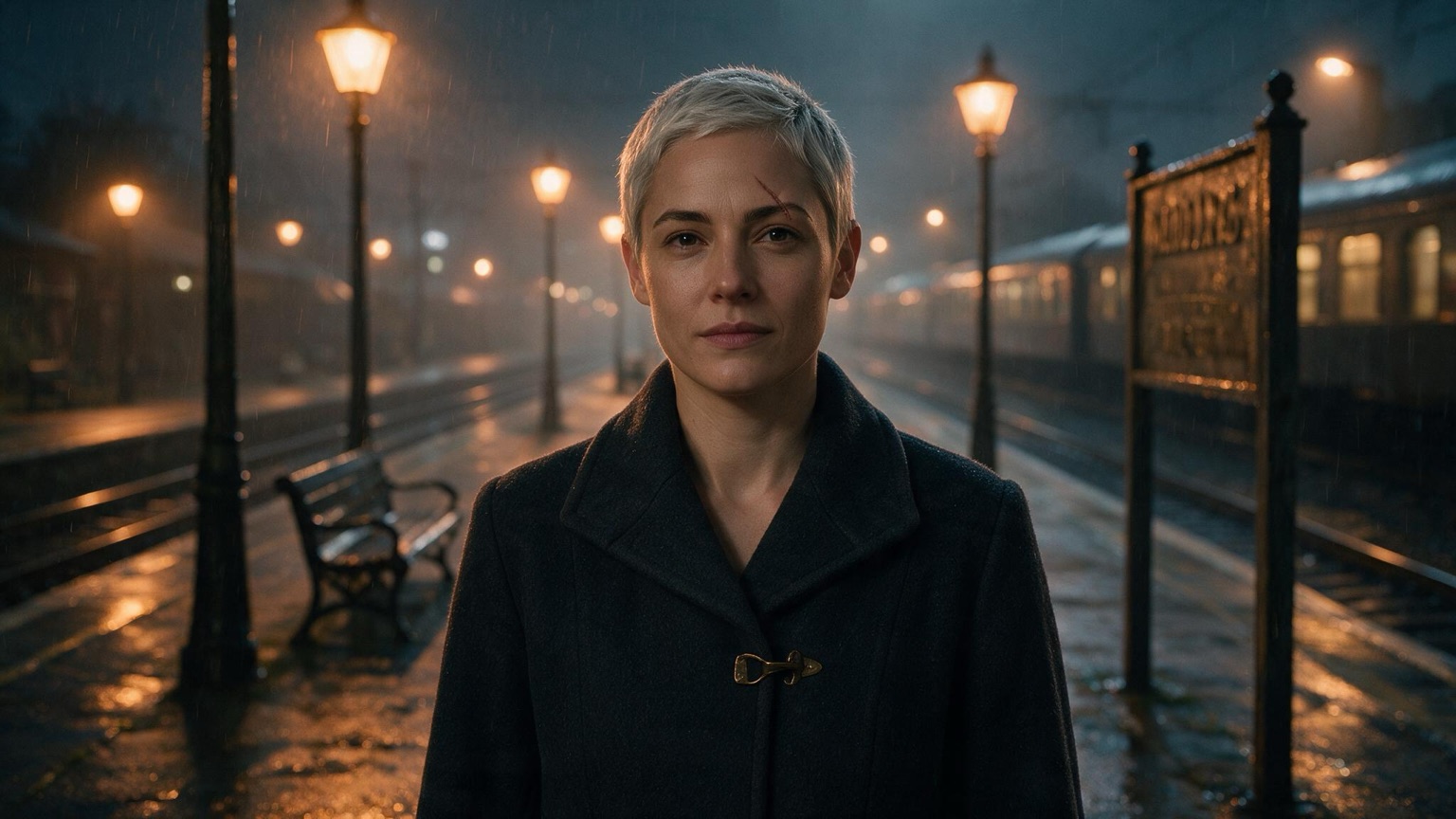
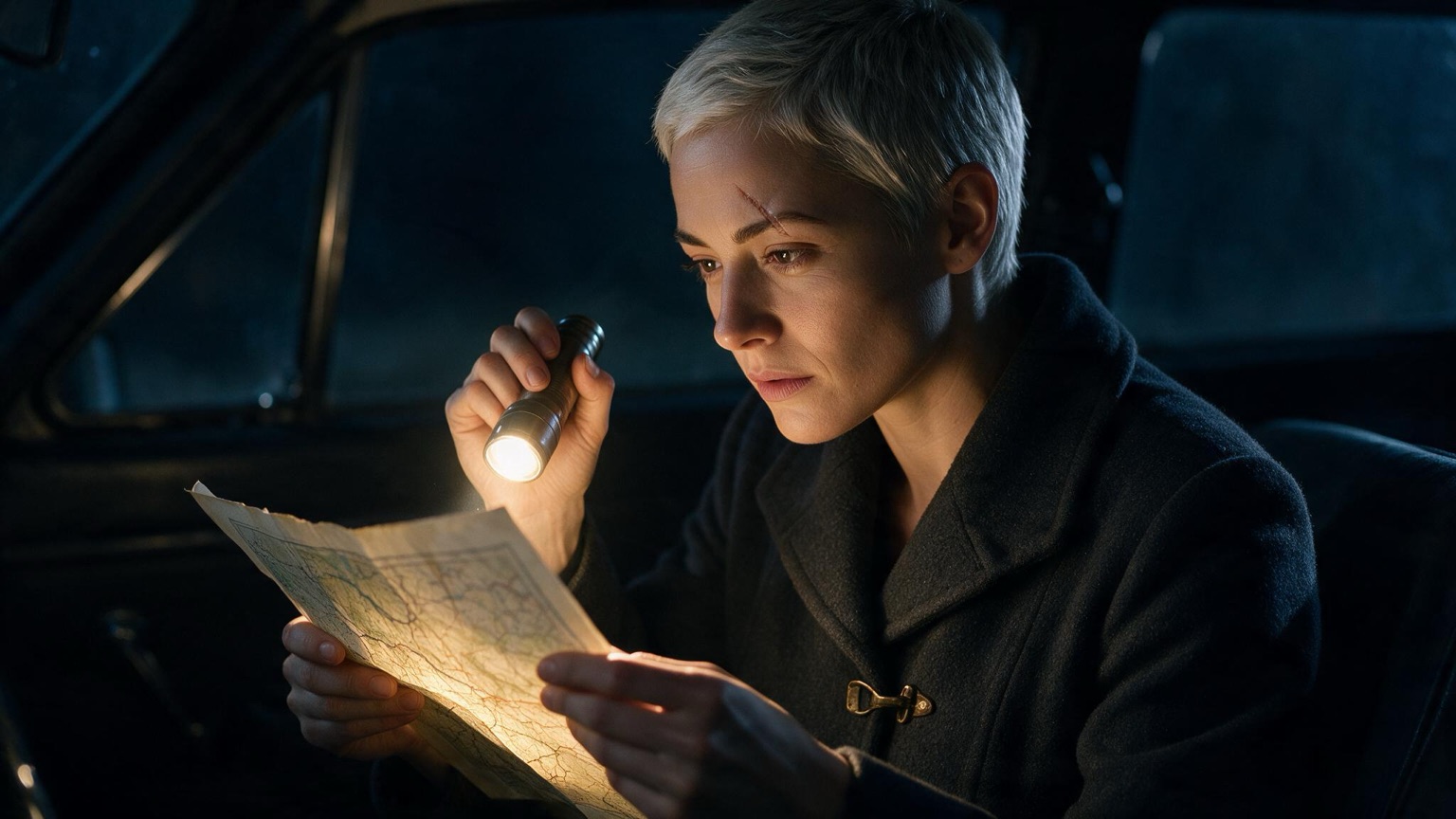
The approved platform still goes in as the start frame, so the video model animates a face that was already signed off rather than inventing one from the text.
When does a LoRA earn its place?
A fine-tune, usually a LoRA trained on a set of images of the character, teaches a model the character’s appearance directly instead of relying on reference conditioning at generation time. It is the strongest consistency tool and the most expensive: it needs a clean, varied image set, training time, and a versioned file to manage per character, per model checkpoint. Pay that cost on a project with the volume to earn it back, a season of a series or a campaign running dozens of shots. For a single spot, a short, or an early pitch, a well-built reference set and a disciplined prompt block get most of the way there, and they work with any conditioning-capable tool rather than locking the project to one checkpoint.
How do you QA a character across a shot list?
Drift is easiest to catch by checking the same handful of features against the reference sheet, not against the shot before it: comparing shot to shot lets small changes accumulate unnoticed across a sequence. Five checks catch most of what breaks:
- Jawline. The most common tell. Angle changes and lighting changes both nudge it.
- Hairline. Recedes, advances, or changes part for no reason in the script.
- Eye spacing. Small shifts read as a different person at a glance, even when nothing else changed.
- Wardrobe. Color, cut, and material mutate first in wide shots and in anything generated late in a session.
- Silhouette. Build, height, and posture, especially in a wide shot where the face is small and the model leans on the body instead.
The failure modes repeat across tools and projects: drift across angles as the model reinterprets a face it has only seen straight-on, wardrobe mutation between takes, age wobble where a character reads older or younger shot to shot, and identity loss in wide shots, where less of the frame is face and the model has less to hold onto. Better prompting fixes none of them. Feeding the model the same reference, in the same words, every time does, and so does checking the result before it reaches a cut.
Questions creatives ask
Why do AI characters look different in every shot? Diffusion and video models resample from noise for every generation and carry no memory between calls, so an unconditioned prompt draws a new interpretation of the face each time. An unchanged prompt with a new seed still yields a new face. Reference images, a reused prompt block, and locked seeds narrow that resampling toward a consistent target instead of a fresh guess.
What is a character sheet in AI filmmaking? A character sheet is a canonical reference set, typically a front view, a profile, a three-quarter turn, an expression sheet, and a wardrobe plate, built once and used as the conditioning input for every later generation. Treat it as the character’s canon: change it, and every shot generated after inherits the change.
Do I need to train a LoRA for character consistency? Only when a project has enough shot volume to earn back the cost, such as a series season or a large campaign; a LoRA is a fine-tune on images of the character that teaches a model the look directly. For a single spot, a short, or a pitch, a reference set with a reused prompt block gets most projects to consistent results without a per-character training pass.
How do I keep a character consistent from image to video? Generate the shot as a still using your reference set and prompt block, then feed that approved still into your video tool as the first frame instead of generating from text alone. Motion within a clip can still drift on long takes or hard camera moves, so keep clips short and cut on action to protect identity across a sequence.